Invite programme
Bring a friend to Nomux, get 10 USDT when they order a card
Your Nomux account comes with a personal invite link. A friend who opens an account through it and then orders a card adds 10 USDT to your referral balance. Nomux puts no ceiling on invitations. Each friend counts for one bonus at a time, and a declined or cancelled order cancels the bonus that came with it.
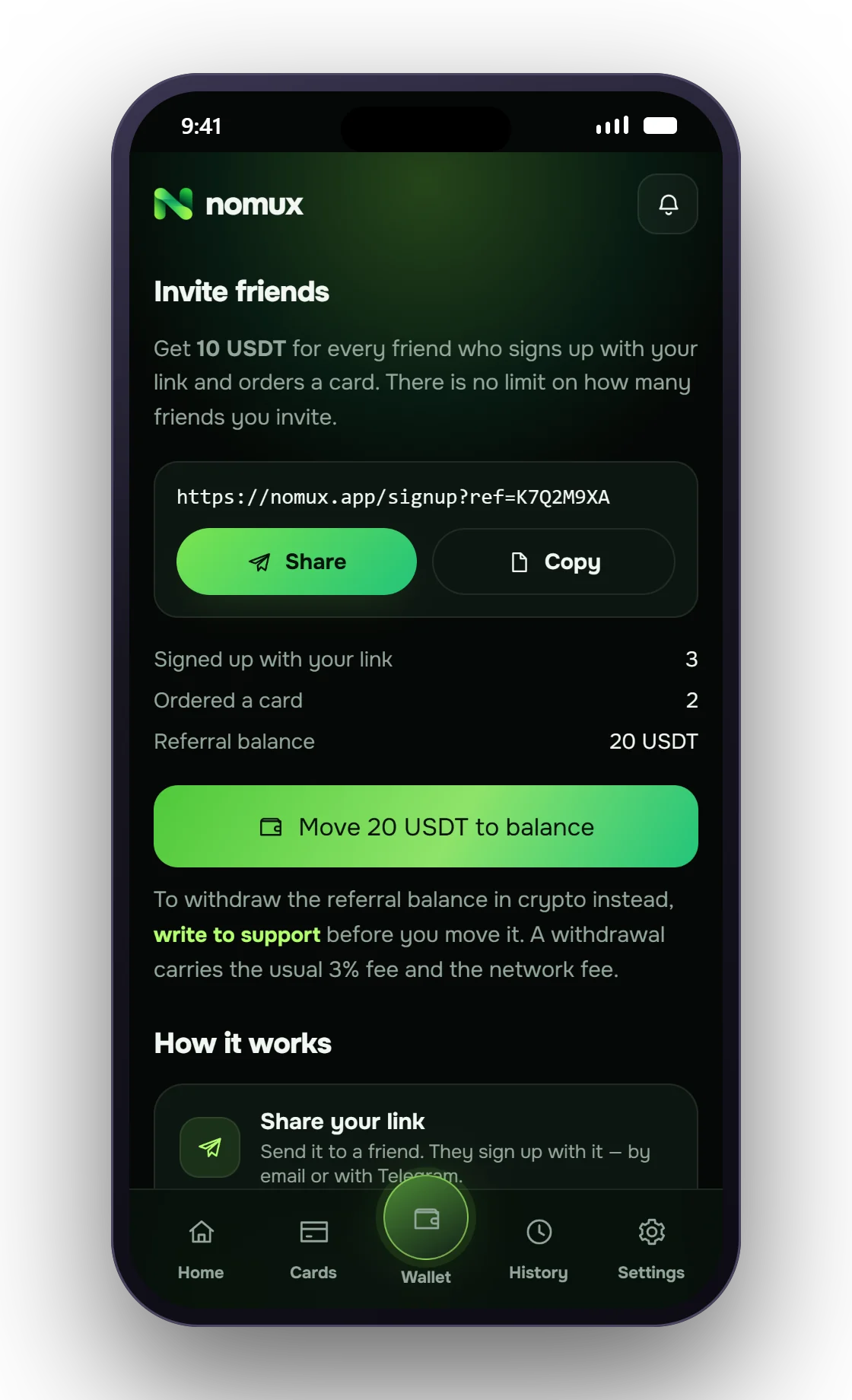
Create an accountYour invite screen at a glance
- Personal linkOne tap shares or copies it, and it stays valid for good.
- ProgressFriends who opened an account, and friends who placed a card order.
- Referral balanceRewards waiting to be spent or cashed out.
- Move to balanceEmpties the referral balance into your spending balance.
From sharing the link to using the reward
- Grab the link In the Nomux app go to Settings, Rewards, Invite friends, then share or copy.
- A friend opens an account Through your link, with an email address or a Telegram login. Accounts that already exist cannot be linked afterwards.
- The friend orders a card As soon as the order is placed, 10 USDT appears on your referral balance.
- Put the reward to work Shift it to your spending balance, or have support send it to your crypto address.
Which sign-ups qualify
Only a brand-new account can be linked to you. Whether your friend joins by email or through Telegram, opening the account via your link ties them to you permanently. Nobody can be linked after their account exists, and your own link does nothing for you.
Your friend does not have to sign up on the spot. The link is remembered for thirty days in the browser where it was opened; switching to another browser or app along the way drops it.
Under the Nomux terms each person holds a single account, so second accounts made to collect rewards are against the rules. The Nomux team sees every link-up and every reward as it happens.
How a reward can be reversed
A reward belongs to one specific card order. Should that order be declined or cancelled, Nomux reverses the 10 USDT on your referral balance; a fresh order from the same friend brings it back. When the friend's card is activated, the reward is settled and their later cards earn nothing more.
Suppose you had already shifted the reward to your spending balance before the decline. Nomux leaves the spending balance alone and lets the referral balance dip below zero; the next reward fills that gap before anything else. The Invite friends screen spells this out if it happens to you.
Spending the reward or cashing it out
The Move to balance button empties the referral balance into your spending balance in one go. After that it is no different from money you topped up yourself.
Prefer crypto? Ask Nomux support to send the referral balance to your own address before you move it. Standard withdrawal terms apply: 3% and the network fee come out of the amount. Measured against a single reward those costs are noticeable, which is why small sums are usually better spent through the card.
What it takes on your friend's side
The reward fires when your friend places a card order. Ordering requires the chosen card's minimum balance, starting at 100 USDT, and puts their entire balance on hold until the card is activated. Their first virtual card costs nothing.
Only the inviter is rewarded; your friend gets no bonus of their own.
- Reward
- 10 USDT per invited friend who places a card order
- Trigger
- The friend's card order — joining alone pays nothing
- Destination
- A referral balance kept separate from your spending balance
- Ways to use it
- One tap moves it to the spending balance; support can also send it out in crypto
- Cash-out cost
- 3% plus the network fee, the standard Nomux withdrawal terms
- Caps
- No ceiling on friends invited or on bonuses collected
- Declined order
- Its bonus is reversed, and a new order by the same friend restores it
- Finding your link
- Nomux app → Settings → Rewards → Invite friends
FAQ
What people ask before their first card
What does the Nomux invite programme pay?
10 USDT per friend who opens an account through your link and orders a card, credited to a separate referral balance.
When does Nomux credit the invite reward?
At the moment your friend orders a card. Opening an account on its own earns nothing.
Does Nomux cap how many friends I can invite?
No. There is no cap on invitations or on the total you collect.
Can the Nomux referral balance be cashed out in crypto?
Yes, through Nomux support, as long as it has not been moved to the spending balance. Standard terms apply: 3% plus the network fee.
My friend's order was declined — what happens to my reward?
Nomux reverses the 10 USDT for that order. If your friend orders again, the reward comes back.
Can an existing Nomux user be linked to my invite?
No. Linking happens only when the account is first created.
Next
Keep going
Start inviting
Create an account and find your link under Settings, Rewards, Invite friends.